

Aaron Cooper Level 7
-
Repeating albums; I selected Best Answer too soon unfortunately3 answers • Technical Support • 9 years 3 months agoBrain fade it seems .... thanks Mike
-
More interesting behaviour with SimGallery. Repeating albums and blank spaces13 answers • Technical Support • 9 years 3 months agoHi Mike,
FTP details updated in original submission -

 More interesting behaviour with SimGallery. Repeating albums and blank spaces13 answers • Technical Support • 9 years 3 months agoThe latest version of SimGallery is installed in both sites Mike. As I previously said , for some reason, the blanks don't appear with that user however the albums are repeated down the page.Please see the attached screenscrapes. The first shows that I am logged in as you. The next shows my album ("My 112") that appears on row 19... show more
 -
More interesting behaviour with SimGallery. Repeating albums and blank spaces13 answers • Technical Support • 9 years 3 months agoI have logged in fine using the user I supplied to you and have checked that the problems re-occur. The "white space" isn't there but the repeating albums is
-
More interesting behaviour with SimGallery. Repeating albums and blank spaces13 answers • Technical Support • 9 years 3 months agoMike,
I have updated your user in our test system to be a super user. The URL you need is http://hettest.hetcl[...]amp;Itemid=656. This behaviour appears across a selection of users. I am happy to send you login access to my account via email -
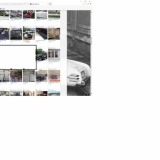
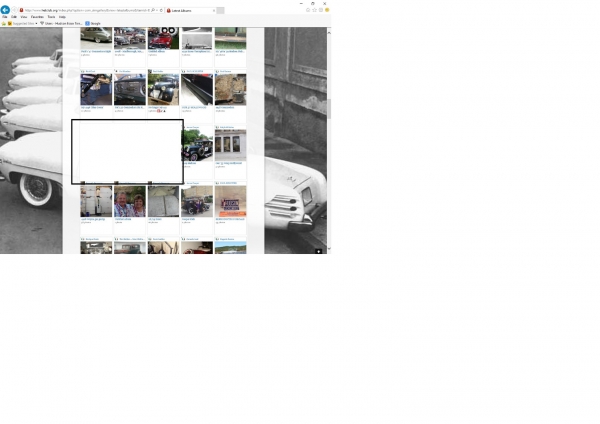 More interesting behaviour with SimGallery. Repeating albums and blank spaces13 answers • Technical Support • 9 years 3 months agoBehaviour is different between browsers as well it seems. IE11 and FireFox both seem to work in the same way. Chrome however only seems to display only 2 of the album and doesn't display the "white spaces"
 -
More interesting behaviour with SimGallery. Repeating albums and blank spaces13 answers • Technical Support • 9 years 3 months agoIf you log onto the site and select gallery there are areas (see example one screenshot) where there is "white space" and nothing appears on the screen.
Example two screenshot shows where albums are repeated as you browse down the galley. So in the example you can see "Removing Hudson Rear Drums" appears twice and in the gallery I have just... show more -
Reoccuring problem. Status bar goes across. Pictures uploads to \tmp. Post photo button stays inert. Running Joomla 3.5.0, SIMGallery 5.1.0.5 answers • Technical Support • 10 years 6 months agoThanks MIke. I have forwarded these two points to hostgator. Thanks for you help!
Aaron -
Reoccuring problem. Status bar goes across. Pictures uploads to \tmp. Post photo button stays inert. Running Joomla 3.5.0, SIMGallery 5.1.0.5 answers • Technical Support • 10 years 6 months agoContinued from hostgator: I noticed some error logs relating to limits on PCRE being too low which can interfere with mod_security, which have been reset and should not recur. I was only able to find one mod_security rule related to content-type that could be relevant:
#Request Body must define Content-Type per RFC, so application knows how to parse
#Prevents impedence mismatch... show more -
Uploads start and then get stuck. Pictures upload to \tmp. Also old module ref in extension manager. Running Joomla 3.3.6, SIMGallery 4.5.2.13 answers • Technical Support • 11 years 8 months agoOk, Hostgator whitelisted those rules and now SIMGallery works! Thanks so much for the support. I don't think without specifically telling them to whitelist they would have ever connected the 403 error to the mod_security rules.
-

 Uploads start and then get stuck. Pictures upload to \tmp. Also old module ref in extension manager. Running Joomla 3.3.6, SIMGallery 4.5.2.13 answers • Technical Support • 11 years 8 months agoHere is another from a member in England
 -

 Uploads start and then get stuck. Pictures upload to \tmp. Also old module ref in extension manager. Running Joomla 3.3.6, SIMGallery 4.5.2.13 answers • Technical Support • 11 years 8 months agoMike, looks like Hostgator has rolled out a mod_security feature in my WHM. Here is the error from the upload. Basically saying missing content-type header.
-
Uploads start and then get stuck. Pictures upload to \tmp. Also old module ref in extension manager. Running Joomla 3.3.6, SIMGallery 4.5.2.13 answers • Technical Support • 11 years 8 months agoOk here is the answer from Hostgator: Hello,
I am sorry for the trouble that you have had. Watching the error log as I reproduced the error that you had been seeing this does not appear to be being caused by any mod_security rule, but simply by the gallery component that you are using. Unfortunately we cannot provide development support, especially... show more -
Uploads start and then get stuck. Pictures upload to \tmp. Also old module ref in extension manager. Running Joomla 3.3.6, SIMGallery 4.5.2.13 answers • Technical Support • 11 years 8 months agoYes, Hostgator does not allow me to modify my mod_security, so I submitted a ticket. I have not gotten a response from them yet, so I will call today. If mod_security was blocking it, why would Chrome allow me to upload, but IE and Firefox won't allow an upload. I only got the 403 error once, ultimately,... show more
-
Uploads start and then get stuck. Pictures upload to \tmp. Also old module ref in extension manager. Running Joomla 3.3.6, SIMGallery 4.5.2.13 answers • Technical Support • 11 years 8 months agoYes, Hostgator does not allow me to modify my mod_security, so I submitted a ticket. I have not gotten a response from them yet, so I will call today. If mod_security was blocking it, why would Chrome allow me to upload, but IE and Firefox won't allow an upload. I only got the 403 error once, ultimately,... show more
-
Uploads start and then get stuck. Pictures upload to \tmp. Also old module ref in extension manager. Running Joomla 3.3.6, SIMGallery 4.5.2.13 answers • Technical Support • 11 years 8 months agoI have done some testing. I am able to upload pictures from Chrome, but IE and Firefox will not upload. My members are reporting the same issue. Chrome works, but not IE or Firefox. I only get that 403 error intermittently. In IE and Firefox, when you try and upload, then click Post Photos, it... show more
-
Uploads start and then get stuck. Pictures upload to \tmp. Also old module ref in extension manager. Running Joomla 3.3.6, SIMGallery 4.5.2.13 answers • Technical Support • 11 years 9 months agoI received notice from Hostgator that they completed recompiling my PHP for EXIF. Ironically they had listed EXIF as being compiled with PHP by default like you said. However, my upload is still not working in my Gallery. Any ideas?
SIMBunch Answers powered by SIMAnswers from SIMBunch